How to print Facebook Messenger, Instagram or Snapchat messages for court
Published October 18, 2026 · Updated October 28, 2026
Short answer: screenshots. None of the programs that export iPhone or Android texts can read Messenger, Instagram or Snapchat. Those apps keep their messages on their own servers, not in the phone's text database, so the route is to screenshot the conversation on the phone and turn the screenshots into a document a judge can follow. This page covers how to do that for each app, what each one does and does not show, and how to make the result readable.
Why export programs do not work here
Decipher TextMessage, iMazing, TextExhibit and SMS Backup & Restore read the phone's SMS and iMessage store from a backup. Messenger, Instagram and Snapchat are not in it. iMazing can read WhatsApp from an iPhone backup, but not these three. The apps' own download tools exist for Messenger and Instagram, and are covered below, but they produce data files, not a printable document.
Facebook Messenger
- Screenshots: open the conversation, scroll up to the oldest message you need, and screenshot down to the newest with each screenshot overlapping the last. Messenger shows a time stamp above a message only when there is a gap in the conversation; tap and hold a message to see its exact time if you need it in the screenshot.
- Download your information: Facebook's settings let you request a copy of your Messenger history as HTML or JSON. It is complete and includes times for every message, but it arrives as files, often days later, and it is not laid out for printing. Useful as a backup record to keep alongside the screenshots.
- Group chats: Messenger prints the sender's name above each person's bubbles. Keep those names in the screenshots; they are what a transcript uses to label each message.
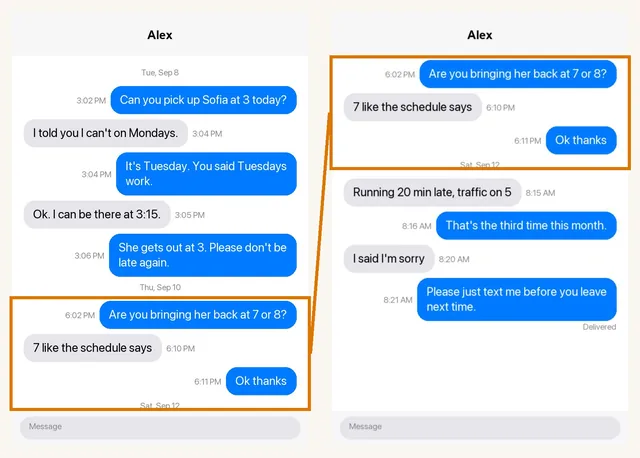
Can you pick up Sofia at 3 today?
I told you I can't on Tuesdays.
- Screenshots: same method. Instagram shows the other person's username at the top and times only on gaps; tap and hold a message to see its time.
- Vanish mode and disappearing photos: messages sent in vanish mode are gone once seen, and Instagram tells the other person when you screenshot a disappearing photo. Screenshot ordinary messages only; for anything that has vanished, Instagram's "Download your information" may still hold a record.
- Download your information: available in settings, with the same limits as Facebook's.
Snapchat
- Chats delete by default. Unless a message was saved, by you or the other person, it is deleted after it is viewed or after 24 hours. Save any message you may need by pressing and holding it; saved messages show a grey background.
- Screenshots notify the other person. Snapchat tells them. That is not a legal problem, but be ready for it.
- No left and right. Snapchat lays every message out on the left with the sender's name above it, "ME" for you in one colour and the friend's name in another. A transcript tool has to read those names rather than bubble position; ours does.
- My Data: Snapchat's account settings offer a download of your data. It includes chat history only for saved messages.
Turning the screenshots into something a judge can read
A stack of screenshots from any of these apps has the same problems as a stack from Messages: small type, no numbering, dates missing where the app did not print one, and no easy way to say "look at message 14". The fix is a typed transcript with every message numbered and dated, and the original screenshots attached behind it. Court Texts builds that from the screenshots: upload them, it reads each bubble, keeps the sender names from a group chat, removes the overlap between screenshots and produces the PDF. The preview is free and the export is $19. It reads what is visible, so it does not invent a time the app did not show, and it is not a forensic extraction.
What to keep in mind for court
- Keep the conversation in the app and bring the phone. A screenshot is a copy; the original is what settles a dispute.
- Screenshot the whole exchange, not just the lines that help you. Selective screenshots are the first thing the other side attacks.
- Be ready to say how you know who the account belongs to. On these apps that usually means the username, the profile photo and your history of messaging them there. See how to authenticate text messages for court.
- If messages were deleted, request the app's data download at once, and ask a lawyer about a preservation letter to the other side.
Related: print WhatsApp messages for court · how to organize screenshots for court · can screenshots be used in court?
This page is general information, not legal advice. App features change; check each app's current settings. Facebook, Messenger, Instagram and Snapchat belong to their own companies, which have no connection to Court Texts.
Common questions
Can Facebook Messenger messages be printed for court?
Yes. Screenshot the conversation on your phone, or request Facebook's Download your information copy. Screenshots are what most people present, usually organised into a numbered transcript with the originals attached. No text-export program reads Messenger.
Can Instagram DMs be used as evidence?
They are used in court regularly. The person presenting them needs to show they are accurate and explain how they know whose account sent them. Screenshots of ordinary messages are the normal form; vanish-mode messages are gone once seen.
Can you print Snapchat messages?
Only messages that were saved in the chat. Unsaved messages are deleted after viewing. Screenshot the saved messages, or use Snapchat's My Data download, which includes saved chat history. Snapchat notifies the other person when you screenshot.
Does Court Texts work with Messenger, Instagram and Snapchat screenshots?
Yes. It reads screenshots from any messaging app, keeps sender names from group chats, and handles Snapchat's layout, where every message sits on the left with a name above it.
Turn your screenshots into a transcript PDF for court →More guides: Print texts for court from an iPhone · Print texts for court from Android · Can screenshots be used in court? · How to organize screenshots for court · How to get a transcript of text messages · Print WhatsApp messages for court · How to authenticate text messages for court · Turn text messages into a PDF · How to prepare text messages for court · Best way to get text messages for court · Can text messages be used in court? · Are text messages admissible in court? · Decipher TextMessage or iMazing for court? · TextExhibit alternatives for court · iMazing alternatives for printing texts for court · Decipher TextMessage alternatives · SMS Backup & Restore to a court PDF · Can you get text message records from your carrier? · ThreadProof vs Court Texts · What evidence do you need for a restraining order · How to submit evidence in family court · Best apps to print text messages for court · How to save a text conversation · How to send a text conversation to email