ThreadProof vs Court Texts: screenshots in a PDF, or a transcript with the screenshots attached
Published October 20, 2026 · Updated October 28, 2026
Short answer: both work from phone screenshots and both run without a computer. ThreadProof packages your screenshots, unchanged, into a PDF with a cover page, page numbers, optional black-box redactions and a hash list; it says plainly that it does not retype your messages. Court Texts reads the screenshots and produces a typed, numbered, dated transcript first, with the original screenshots attached behind it. Which one you want depends on whether the reader of your document needs to read the conversation or only to receive it.
We make Court Texts, so this is a comparison from one side. The facts about ThreadProof come from its own site, checked in October 2026; prices and features change, so confirm there before buying.
What each one produces
ThreadProof stitches and orders your screenshots and writes them into a PDF one per page, with an exhibit label and matter name on the cover, page or Bates numbers, a redaction log for any boxes you drew, and an appendix of SHA-256 hashes of the original files. Its answers page says: "We don't retype your messages." So the PDF is your screenshots, presented well. A searchable text layer and a CSV transcript are offered on its Professional plan.
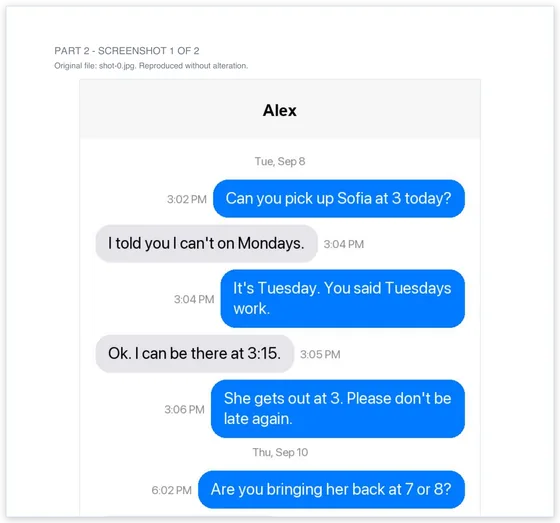
Court Texts reads every bubble and produces Part 1, a transcript: each message numbered, with who sent it, the date and the time, and which screenshot it came from. Part 2 is every original screenshot as a labelled exhibit, unaltered. Part 3 is a method statement that says how the document was prepared and lists a SHA-256 fingerprint of each image. You check the transcript against the screenshots before the PDF is built; lines the reader was unsure of are marked.
Side by side
| ThreadProof | Court Texts | |
|---|---|---|
| Input | Screenshots; screen recordings are sampled into frames | Screenshots |
| Typed transcript | No ("we don't retype your messages"); text layer on the Professional plan | Yes, numbered and dated, the main part of the document |
| Ordering and overlap | You capture in continuous ranges; stitching joins overlapping images | Automatic: overlap between screenshots is removed and messages are put in order |
| Apps | iMessage, SMS, WhatsApp, Messenger, Instagram, Slack, email | Anything you can screenshot, including Snapchat and group chats with sender names |
| Redaction | Yes, black boxes burned into the image, with a log | Not yet |
| Integrity | SHA-256 of each original file | SHA-256 of each embedded image in the method statement |
| Where processing happens | In the browser; nothing is uploaded | Screenshots are uploaded to be read, then deleted within 24 hours; never used to train AI |
| Account | None for the free tier; account for paid plans | None |
| Free tier | Up to 8 screenshots per export, with a watermark on image pages | The first 10 screenshots are read and the whole transcript is shown, without watermark |
| Price | Case Pass $24 for 90 days; Personal $79 a year or $79 lifetime; Professional $439 a year | $19 once per transcript, more screenshots added free |
| Company | Pest Leads Pro LLC, Illinois | Court Texts |
Can you pick up Sofia at 3 today?
I told you I can't on Tuesdays.
When ThreadProof is the better fit
- You must black out names or numbers before anyone sees the pages, for example a child's details in a custody matter. ThreadProof does that in the browser and logs it.
- You will not upload the images anywhere on principle. ThreadProof's processing stays on the device.
- You captured the conversation as a screen recording rather than screenshots.
- You prepare many exhibits a month and want Bates numbering, a logo on the cover and declaration templates.
When Court Texts is the better fit
- Someone has to read the conversation, not just receive it. A judge, a mediator or a lawyer with forty screenshots in front of them needs "message 23, from her, Tuesday 9:41 PM", not a stack of phone images.
- You do not want to order the screenshots yourself. Court Texts works out the order and drops the overlap.
- The messages are in Snapchat, a group chat, or another layout that stitching tools do not understand.
- You have one matter and want to pay once. $19 covers the transcript and any screenshots you add to it later.
What neither does
Neither reads the phone's message database, recovers deleted messages, or proves who was holding the phone. A hash shows a file has not changed since the document was made; it does not show the screenshot was genuine when taken. For a contested authenticity question, the route is a forensic examination, and for a long iPhone history with a computer available, an export program. See the six ways to get text messages for court.
This page is general information, not legal advice. ThreadProof is a product of its own company, which has no connection to Court Texts.
Common questions
Is ThreadProof free?
It has a free tier: up to 8 screenshots per export, with a ThreadProof mark on the image pages. Paid plans listed in October 2026 were a $24 Case Pass for 90 days, Personal at $79 a year or $79 lifetime, and Professional at $439 a year.
Does ThreadProof make a transcript of the messages?
No. Its own answers page says it does not retype your messages; the PDF contains the screenshots themselves, ordered and numbered. A searchable text layer and CSV are offered on its Professional plan. Court Texts produces a typed transcript as the main part of the document, with the screenshots attached.
Which is more private?
ThreadProof processes images in the browser and says nothing is uploaded. Court Texts uploads screenshots to read them, keeps them for at most 24 hours, and does not use them to train AI. If no-upload is a requirement, ThreadProof fits it; if you need the messages read into a transcript, that requires the upload.
Can I use both?
Yes. Some people redact in one tool and then build the transcript from the redacted screenshots, since Court Texts reads whatever is visible in the images you upload.
Turn your screenshots into a transcript PDF for court →More guides: Print texts for court from an iPhone · Print texts for court from Android · Can screenshots be used in court? · How to organize screenshots for court · How to get a transcript of text messages · Print WhatsApp messages for court · How to authenticate text messages for court · Turn text messages into a PDF · How to prepare text messages for court · Best way to get text messages for court · Can text messages be used in court? · Are text messages admissible in court? · Decipher TextMessage or iMazing for court? · TextExhibit alternatives for court · iMazing alternatives for printing texts for court · Decipher TextMessage alternatives · SMS Backup & Restore to a court PDF · Can you get text message records from your carrier? · Print Messenger, Instagram or Snapchat messages for court · What evidence do you need for a restraining order · How to submit evidence in family court · Best apps to print text messages for court · How to save a text conversation · How to send a text conversation to email